Auf EnglischDiese Seite ist nur auf Englisch verfügbar.

Dictation for Mac

Say it. Let your Mac type it.

Put the cursor in a message, email or document. Speak your thought — VerbaIDE turns it into text right there.

Download for Mac

macOS 14+ · Apple Silicon (M1 or later)

30 days to try paid features · No card required · One trial per account and Mac

Example: a quick reply
You say

I’ll send the updated draft tomorrow morning.

In your message

I’ll send the updated draft tomorrow morning.

The text lands at the cursor. You review it and send it yourself.

The thought is ready. Typing it out is the part that takes time. Keep your attention on what you want to say.

A quick reply or a longer draft

A reply without the typing

Hold your dictation key, speak and release. The text appears in the field you were using.

Room for a longer thought

Tap the key to start continuous dictation. Text arrives in chunks as you speak; press again to finish. In Chrome, Slack and VS Code the text is added at the end of the field.

Your words and your terms

Text goes in the way you said it, so your wording stays yours. Add names and specialist terms to your dictionary.

Our own speech model

A fine-tuned speech model, on the trial and paid plans

We fine-tuned NVIDIA’s Parakeet on recordings of real Russian and Ukrainian speech with English terms mixed in. Free dictation runs on the standard NVIDIA Parakeet; during the trial and on paid plans it runs on our model.

≈ 1.5×fewer word errors: 27.2 → 17.7 per 100 words
Almost 2×fewer errors in Ukrainian: 35.1 → 19.5 per 100 words
0 secondsof speech sent off for recognition — it runs on your Mac

How we measured

See how it works

Three steps to your first result

  1. Install and set up

    Download VerbaIDE, grant the permissions shown in setup and download the speech model.

  2. Speak into your app

    Place the cursor in a text field. Hold your assigned key for a phrase, or tap it for continuous dictation.

  3. Read and continue

    Check the result, make any edits and carry on in the same app.
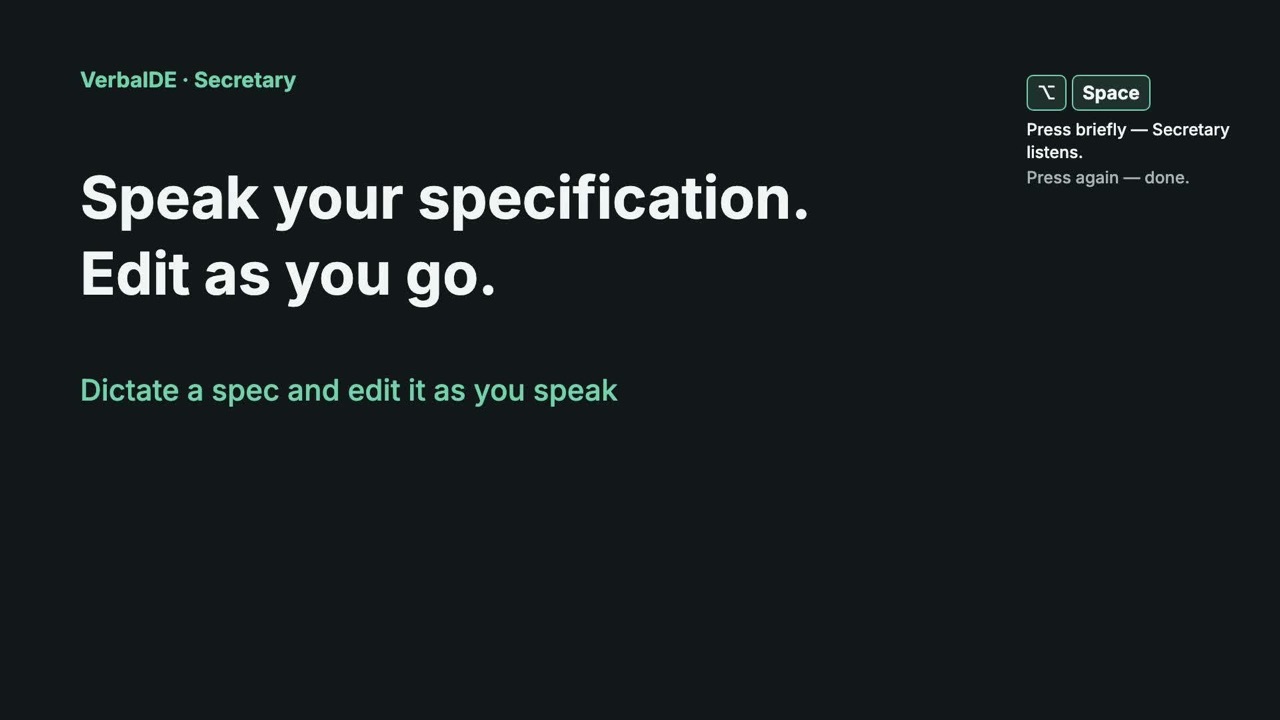
Dictate a spec and edit it as you speak | VerbaIDE
Text in the video

Dictate and edit

Tap ⌥Space briefly. Secretary listens.

On the payment screen, show the plan name, the total amount and the subscription period. Place the purchase button below the total amount.

Tap ⌥Space briefly. Secretary listens.

New paragraph — press Return.

Before handing this over to development, check the screen in a narrow window and agree on the error messages.

Secretary keeps listening while you edit.

Hold ⌘ — the phrase goes at your cursor.

If the payment is declined, keep the entered details and show a clear reason. The user can try again.

Hold ⌘ — the phrase goes at your cursor.

Tap the shortcut again to finish.

Need it in another language?

Press ⌃⌥Space briefly — dictation with translation.

We will check the payment screen by Friday.

The target language is on the panel. “+” adds a language.

The German translation lands in the field.

Watch Secretary type a specification while you edit the text.

Before you download

What is free?

Basic dictation, including continuous dictation, stays free and runs on the standard NVIDIA Parakeet model. Register during setup to try our fine-tuned speech model, contextual term checking and the other paid features for 30 days. No card required.

Does it rewrite what I say?

No. Dictation inserts what you said, without rewriting it. Add names and terms to your dictionary and they will be spelled correctly.

Does speech processing need the internet?

Recognition runs on your Mac. Download the required models first; after that, dictation can work offline.

Speech recognition and translation run on your Mac. Download the required models before working offline.

VerbaIDE · Mac

Try your next message by voice.

30 days to try paid features · No card required · One trial per account and Mac

Download the app, install it and register in setup to start your trial.

Download for Mac

macOS 14+ · Apple Silicon (M1 or later)